Monday, July 20, 2015

WOPR: A simple markup for rich terminal reports, presentations and infographics

@YaronNaveh

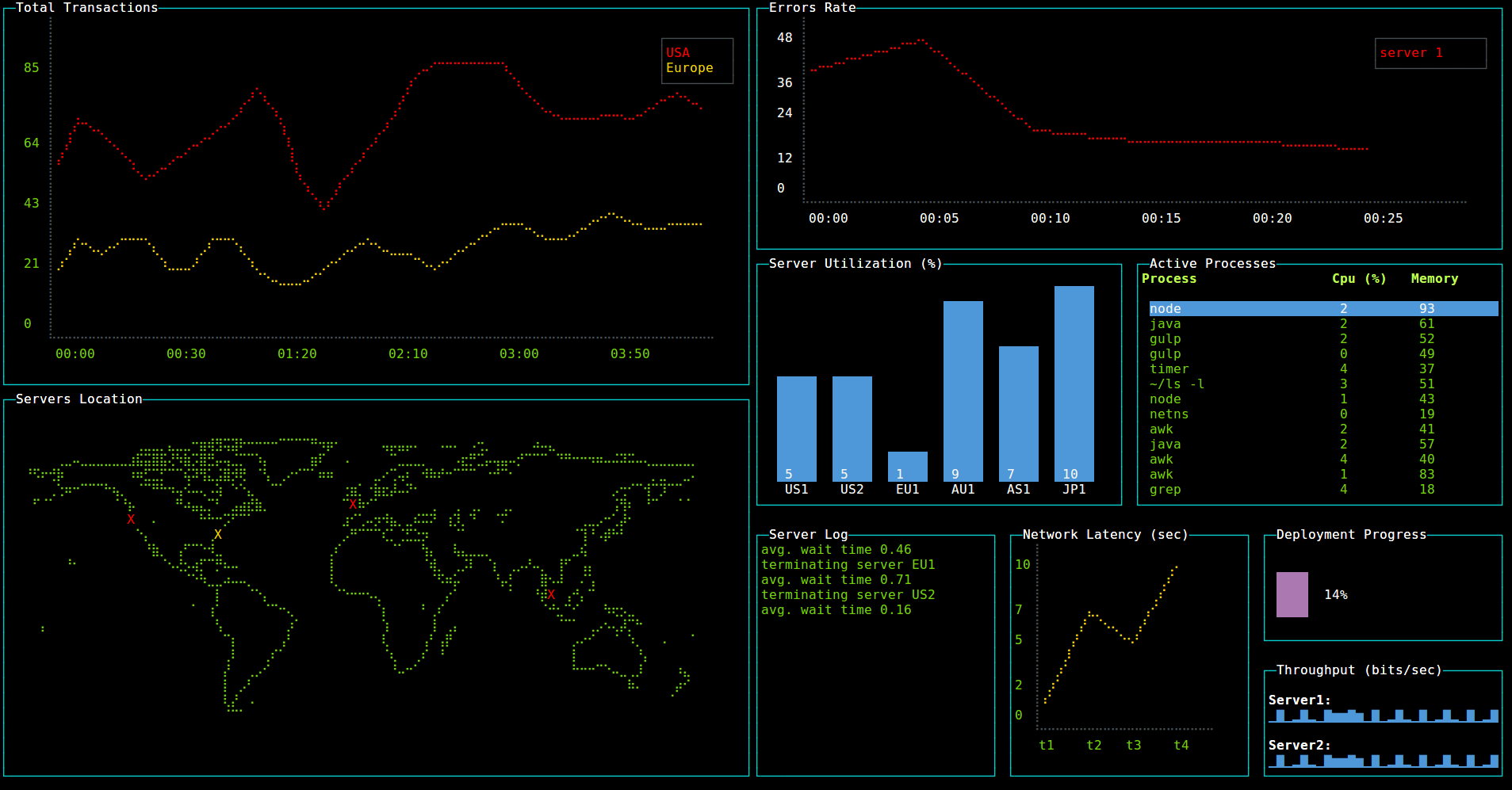
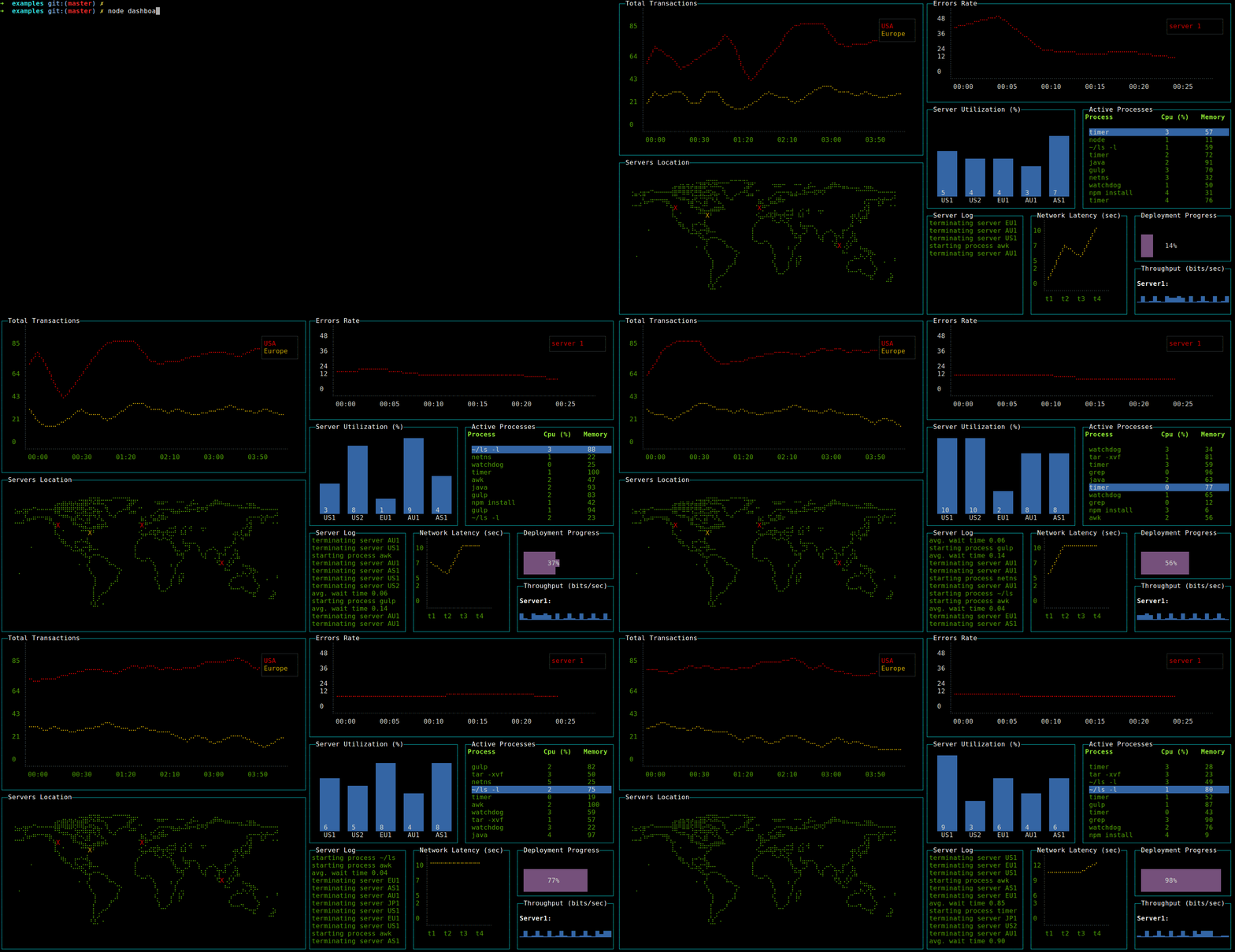
I have just released WOPR. It is a markup format (xml) based on blessed-contrib that allows to decleratively define terminal reports, presentations and infographics.


You can create such XML reports, put them on the web (e.g. gist), and view them via curl:


Or if you can handle a full deck:


WOPR is useful to create build / production reports, presentations and infographics.


Check WOPR here

@YaronNaveh

What's next? get this blog rss updates or register for mail updates!

Thursday, April 30, 2015

Running Terminal Dashboards on Windows

@YaronNaveh

With blessed-contrib it is easy to create terminal dashboards using ascii-art:


blessed-contrib uses Braille fonts which are available by default on Linux and Mac distributions but not on Windows:


In order to run such dashboards on windows you need to perform the following steps:

1. Download, open and install the FreeMono font.
2. Follow these instructions in order to to configure FreeMono in the windows terminal.
3. In the command line type: "set TERM=windows-ansi".
4. Clone & Run the blessed-contrib project according the regular guidelines (or run any other dashboard that you need)

Enjoy :)

@YaronNaveh

What's next? get this blog rss updates or register for mail updates!

Wednesday, January 14, 2015

Building Terminal Dashboards Using Ascii/Ansi Art

@YaronNaveh

Developers are most productive when working at the command prompt. A lot of applications have command line utilities to facilitate that. However those cli's restrict themselves to textual based data. When it is time to show any kind of graphics, a browser or desktop applications are preferred. For me this is a huge miss of the terminal full potential. Having a native terminal way to create graphics would allow developers keeping the same aesthetics across the board, rather than switching back and forth to the browser experience. It would also open opportunities for better ssh experience and utilities. And as it is always available a command line away, it also provides a better experience for any quick visualization we require (think dashboards, monitoring etc.)


This is why I have built a Node.JS library to build dashboards using ascii/ansi art. I am using blessed, which is an NCurses-like javascript library, and drawille, which provides an HTML5 canvas abstraction over the terminal. The full details are in the github repository.

Check it out on github.

@YaronNaveh

What's next? get this blog rss updates or register for mail updates!

Thursday, June 12, 2014

eMedNy Web Services in .NET (Guest Post)

@YaronNaveh

This is a guest post by Isaac Kleinman about web services interoperability with eMedNy

I was recently tasked with building a SOAP Client to consume some services provided by eMedNy, New York State Dept. of Health's electronic Medicaid system. While eMedNy provides a number of web services for providers such as medical and prescription history etc., my project focuses on their subscriber (patient) eligibility service. Once you manage to successfully communicate with the service, the actual exchange consists of submitting an X12-formatted 270 file which is an eligibility request and receiving a 271 (eligibility response) in return.

Working with this arcane format is challenging in its own right and is more than worthy of its own post. However, configuring the certificates and structuring the SOAP security message headers proved to be even more challenging. I still haven't completely gotten my mind around the concept, but apparently the service was written in Java and uses WS-Security to define its security policy. It's possible that building a client in Java is a smooth process, but doing so in .NET proved to be a quite complicated ordeal. While I can't fully explain all the details of the issues at hand, I can, at least, describe the steps I took to get my project up and running. Yaron Naveh was extremely helpful at each step of the way; hat-tip to him.

Officially, Microsofts's `svcutil` utility was supposed to do all the magic for me: just provide the WSDL URL and the appropriate proxy and config files get generated and you're good to go. This was far from the case. Here's what happened when I ran `svcutil`:


The generated `output.config` file contains a similar error:


Now, I haven't even gotten clarity yet as to what exactly this error message means or what is causing it, but as you can see, due to the error, not much configuration is happening here at all. Thus, I don't include this file in my project.

As an aside, the proxy file, `MHService.cs`, contains a whopping 55K loc. Most of this is not relevant to the services I'm using. (I suspect I only need about 30 of those lines, but I haven't gotten to sifting it yet.)

Let's begin with the steps toward putting together a functional outbound SOAP request message.

Here's a sample request message provided by eMedNy:


While it's true that a message doesn't have to conform entirely to this sample, it gives us something to work towards.Here is an outline of the architecture we can derive from this sample:


  • A random temporary session key is generated.
  • Message body is encrypted (Triple-Des CBC) with this key.
  • The temporary key gets encrypted using eMedNy's server certificate.
  • The encrypted key is included in the request header.
  • (Encrypted) Message body gets canonicalized (C14N).
  • Digest (SHA1) is produced from canonicalized message.
  • A digest (SHA1) of all digests (only message body here) is produced.
  • This final digest is encrypted with client's private key.
  • The hash and signature are included in the request header.
  • Username token: includes `username`, `password`, `nonce` and `timestamp` (I've found that the request is accpeted just fine even without the `nonce` and `timestamp`)

  • So here's a first draft of my code which generates a working request (based on Yaron's gist):


    And here what the generated message looks like:


    As you can see, the message I generate differs slightly from the sample they provide.
    In particular, my version does not have:

    1. the `nonce` and `timestamp`
    2. the server certificate ( it only gets referenced by `Subject Key Identifier`

    but.. it works.

    Now, let's proceed to dealing with the response message.

    If you try running your program using the above code, you'll get the following error:


    The issue here is that eMedNy's server is presenting a certificate which is not valid according to the client's trust chain. Yaron addresses this issue here. You incorporate his code as follows:

    1. add the following callback to the program:
    static bool OnValidationCallback( object sender, X509Certificate cert,
    X509Chain chain, SslPolicyErrors errors)
    {
    return true;
    }


    2. and, in your configuration code, perform the following assignment:
    ServicePointManager.ServerCertificateValidationCallback = new
    RemoteCertificateValidationCallback(OnValidationCallback);
    After making that change, running the program should give you this error:

    Unhandled Exception: System.ServiceModel.Security.MessageSecurityException: The incoming message was signed with a token which was different from what used to encrypt the body. This was not expected.

    For some reason, WCF is not properly identifying the server certificate token. Hard as I tried, I have not (yet) been able to figure out how to tweak the configuration to overcome this issue. As a last resort, I had no choice but to roll my own custom encoder. The code is based on the examples provided on MSDN, but I've tried to remove a lot of the parts that are not needed for our case, so that it's somewhat more obvious what the code does.

    So here is the CustomTextMessageBindingElement class:


    here is the CustomTextMessageEncoderFactory class:


    and, finally, here is the actual CustomTextMessageEncoder class. The `ReadMessage` method is where the decryption takes place. I intend to make the method a bit neater using the `EncryptedXml` class, but here it is for now:


    At this point, we can go back to the configuration code and replace the use of the default encoder:

    binding.Elements.Add(new TextMessageEncodingBindingElement(MessageVersion.Soap11, Encoding.UTF8));

    with our custom encoder as follows:

    binding.Elements.Add(new CustomTextMessageBindingElement());


    As a relative n00b, getting this to work was quite challenging, so I hope this can help some others in the same situation.

    @YaronNaveh

    What's next? get this blog rss updates or register for mail updates!

    Friday, May 23, 2014

    Gifw00t! A pure javascript web recorder

    @YaronNaveh

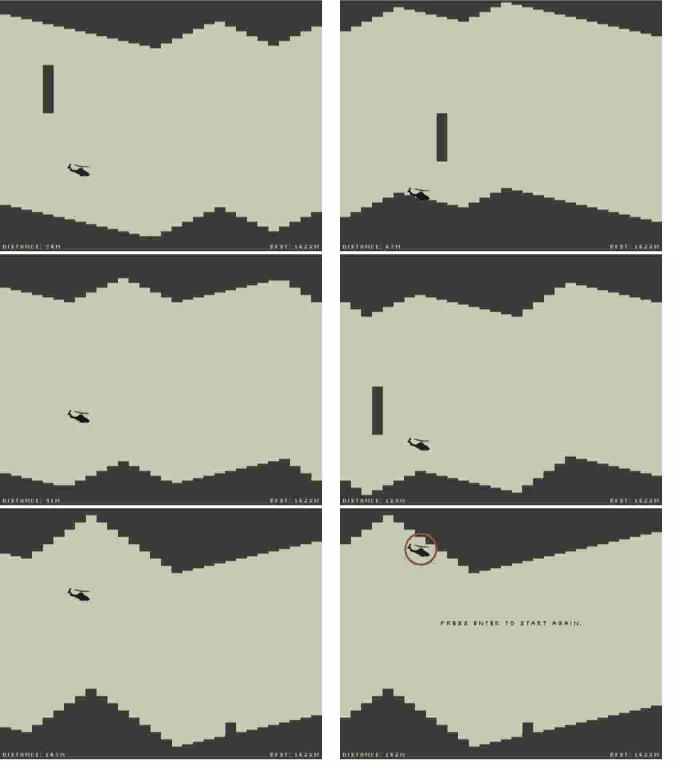
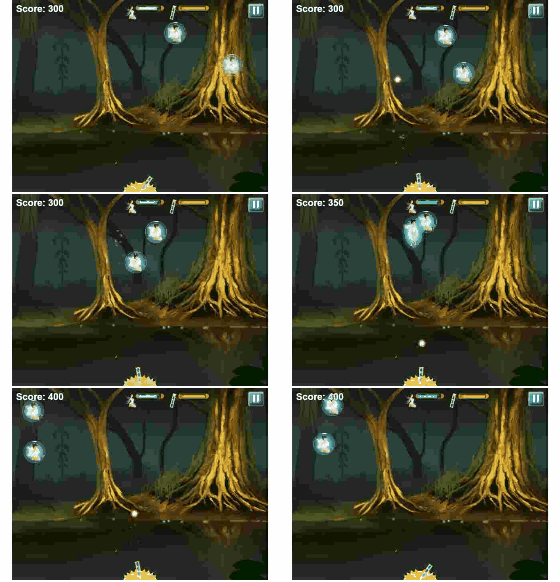
    Recently I took a break from all the angle brackets I typically deal with. I decided to build a web recorder in pure javascript (demo, github). You can now record your interaction with a web page into an animated gif without installing anything native. This method works in devices as well. One immediate use case that comes to mind is instant replay of HTML5 game moves:


    (live demo)

    There are tons of other usages as well.

    The recorder internally relies on libraries such as html2canvas by @Niklasvh and jsgif by @antimatter15, and the demos use excelent html5 games written by @daleharvey. In the next few days I'll publish some cool usage samples in my twitter. I can't promise I'll switch to curly braces for good but this was a fun experiment!

    @YaronNaveh

    What's next? get this blog rss updates or register for mail updates!

    Friday, January 24, 2014

    More EBS-EDT errors

    @YaronNaveh

    In my recent post I have discussed some of the basic errors you may get when trying to consume EBS-EDT with WCF. Here are some more errors you should be aware of:

    Error 1:

    policy rejected

    If the server returns the above error it typically means that you have issues with some values of elements of your request. Either you are using an older WSDL version, or you have given wrong values in some of the fields (e.g. auditID). This might also be related to using a mix of authenticaiton formats (MSA and IDP) instead of just using one of them and setting the other to null.

    Error 2:

    The algorithm 'http://www.w3.org/2000/09/xmldsig#sha1' is not accepted for operation 'Digest' by algorithm suite Basic128Sha256Rsa15

    or:

    The algorithm 'http://www.w3.org/2000/09/xmldsig#sha256' is not accepted for operation 'Digest' by algorithm suite Basic128Rsa15

    This error is thrown by WCF when it tries to validate the response signature. This happens because the signature uses a mix of SHA1 and SHA256 hash algorithms. There is nothing you can do to make WCF accept this. What you should do is implement a custom encoder (which you probably do anyway if you have read my last post) and in the encoder validate the signature by yourself and then remove it from the SOAP.
    EDIT: Dwayne McKnight has commented that there is a way around a custom encoder.

    @YaronNaveh

    What's next? get this blog rss updates or register for mail updates!

    Wednesday, December 18, 2013

    Consuming EBS-EDT SOAP service from WCF

    @YaronNaveh

    If you want personal guidance with EBS-EDT feel free to mail me at yaronn01@gmail.com

    A while ago the Ontario Ministry of Health and Long-Term Care published this document, which explains how to consume their new SOAP web service. (In favor of Google the exact title is "Technical Specification for Medical Claims Electronic Data Transfer (MCEDT) Service via Electronic Business Services (EBS) Ministry of Health and Long-Term Care"). I have received over a dozen of questions about how to consume this service with WCF. Unfortunately it is not a simple task since the service uses a complex configuration which is not available in any of the built-in WCF bindings. However it is possible to do it with some custom code. Bellow I describe the general scheme for this to work. I know some community members are preparing a simple wrapper for this so I will publish it here once ready.


    The Errors
    Depending on which path you chose for implementation, the most common error message you are likely to receive is the dreadful:

    The incoming message was signed with a token which was different from what used to encrypt the body. This was not expected.

    There are other possible errors as well or some consumers may not know where to start.

    The Solution
    1. Since the client needs to send both username token and an X.509 certificate (and sign with the latter) we need to write a code binding:


    One thing you want to notice in this code is that it contains the username and password, so change them according to your credentails.
    Another thing to notice is that the client certificate is loaded from disk. You could change that to the windows certificate store if you wish. As for the server certificate, you could put any dummy certificate there, including the same one as the client certificate (it will not be used but WCF needs something in this setting).
    Also note the EnableUnsecuredResponse=true. It is a key for the next steps.

    2. Since the request needs to be signed only (not encrypted) let's configure the contract in reference.cs with the ProtectionLevel attribute:


    3. WCF is reluctant to decrypt the response. For this reason we need to do the decryption manually. This is the hardest part but I give most of the code here so hopefully it will be easier. You need to implement a custom message encoder and configure the binding above to use your encoder instead of text message encoder. Read here on how to implement an encoder.

    4. You need to override the ReadMessage method of the encoder and decrypt the response message in it.

    This code shows how to decrypt a message (not necessarily in the context of an encoder):


    This code needs access to your private key so it could extract the session key in the message and it also needs some elements from the response. Once you get the decypted message you can replace the encypted body part in the message provided by the encoder with the decrypted message.

    5. The last mission to accomplish in the encoder is to delete the <security> element (and all of its child nodes) from the response message before you return it to WCF. Otherwise WCF will try to decrypt the message which is redundant since we just unencrypted it now (WCF decryption would fail anyway). Remember the EnableUnsecuredResponse flag from step #2? It tells WCF not to expect any security, so stripping the elements out is safe.

    Information on some possible errors in this process is available here.

    MIME Attachments

    Hopefully by now you have a working client. Some of the operations also receive an attachment from the service. This attachment in SwA (Soap with Attachments) which is a MIME format a little different than the MTOM whcih WCF knows about.To extract this attachment you could use some kind of a mime parser library as the first step of your encoder (apply it over the raw bytes from the network). Copy the first MIME part to the Message object (this is the SOAP). The second part will be the attachment which you can keep on the custom encoder as a property or on some other context available to your application code.

    Fault Contract
    Since there is no formal fault contract in the WSDL you should inspect any incoming soap fault using a custom message inspector.

    To sum up, consuming EBS-EDT from WCF is not easy but doable, good luck!

    @YaronNaveh

    What's next? get this blog rss updates or register for mail updates!

    Tuesday, June 25, 2013

    Validating Windows Mobile App Store Receipts Using Node.js

    @YaronNaveh

    When your windows phone user performs an in-app purchase you can get its receipt using the API:


    You need to send this receipt to your backend system to validate the signature. If that backend system happens to be in C# your life is easy as the official documentation provides exact validation instructions. If you use another platform then be aware that there are a few gotchas to this validation process.

    Based on several requests I have checked the feasibility to use my xml-crytpo node.js module to perform this validation. There were two challenges that required to patch xml-crypto. Both of them caused the signature digest calculation to differ from the stated one by the store. This had failed the validation process.

    White spaces
    As you can see in the sample receipt above it contains white spaces. White spaces in Xml are meaningful and once an Xml has been signed it is not legal to remove or alter the white spaces. However take a look at these lines from Microsoft C# validation instructions:


    The receipt is loaded into an XmlDocument. Since not defined otherwise, the PreserveWhitespace property defaults to false. This means that the actual validaiton code later on is performed not on the actuall Xml received from the network/disk but on an altered version of it which strips all white space. This is not standard and confusing. Anyway if you use node.js remember to first remove the whitespace before processing the document further. Unfortunately xmldom, the module which xml-crypto uses for xml processing, does not provide this utility. I did a quick patch for it and for now have put it in my private xmldom repo. Just initialize the parser with the ignoreWhiteSpace flag:


    Debugging this was quite painfull which is why I posted this tweet shortly after:


    Implicit Exclusive Xml Canonicalization
    Canonicalization is probably one of the most confusing topics regarding xml digital signature. In a nutshell, before processing Xml (either when signing it or when validating the signature) we need to transform it to a canonical form in terms of attribute order, namespace definition, whitespace and etc. There are multiple standard to do so and they can be chained together so the signed xml should state which standard(s) it uses:


    This is the transformation stated by the windows store receipt


    In practice when trying to validate according to this transformation xml-crypto shows this validation error:


    I have built a simple C# app to do this validation according to the Microsoft sample - it worked. The sample uses the high level SignedXml class. I have then built a C# snippet to do the validation in a more low level way by applying the enveloped-signature transformation myself - this failed.

    I had to dig deep in the reflector to find that internally the SignedXml .net class always applies the Exclusive Xml Canonicalization standard in addition to any explicitly defined transformation. This happens in TransformChain.TransformToOctetStream() method which is used internally in the signing process when it starts with SignedXml:


    The CanonicalXml class has an internal property m_c14nDoc which holds the canonicalized version.

    Once I have forced xml-crypto to use c14n at all times the validation was successful.

    I have not found any evidence in the xml digital signature or exclusive xml canonicalization specs that the way SignedXml works complies with the definitions.

    All Together Now
    I have committed the changes to the xml-crytpo windows-store branch and have not checked them in to npm since this is not necessarily the correct behavior with other platforms. So you should use xml-crypto from there (a quick way is to "npm install xml-crypto" and then override the created folder with the windows-store branch zip. There is a way to tell npm to install directly from github but not sure if this can happen from a branch. This is the usage example:


    The pem file contains the raw content of the certificate which you get from the windows store provided url:


    I hope your app will be successful and you will use this procedure a lot...

    @YaronNaveh

    What's next? get this blog rss updates or register for mail updates!

    Sunday, March 10, 2013

    Test-Creep: Selective Test Execution for Node.js

    @YaronNaveh

    Check out test-creep to run your tests 10x times faster.

    They tell us to write tests before, during and after development. But they don't tell us what to do with this forever-running and ever-growing list of tests. If your tests take a double digit number of seconds to execute then you're doing it wrong. Maybe you have already split your tests into fast unit tests that you run all the time, and slow integration tests that you run as needed. Wouldn't it be great to cherry pick those 2-3 integration tests that are relevant to the change you just made and run them? Wouldn't it be great to make unit tests run even faster by executing just those few that are affected by your current work? Test-Creep automatically runs just the subset of tests that are affected by your current work. Best part: This is done with seamlessly Mocha integration so you work as normal.

    What is selective test execution?
    Selective test execution means running just the relevant subset of your tests instead of all of them. For example, if you have 200 tests, and 10 of them are related to some feature, then if you make a change to this feature you should run only the 10 tests and not the whole 200. test-creep automatically chooses the relevant tests based on istanbul code coverage reports. All this is done for you behind the scenes and you can work normally with just Mocha.

    Installation and usage
    1. You should use Mocha in your project to run tests. You should use git as a source control.
    2. You need to have Mocha installed locally and run it locally rather than globally:

    $> npm install mocha
    $> ./node_moduels/mocha/bin/mocha ./tests

    3. You need to install test-creep:

    $> npm install test-creep

    4. When you run mocha specify to run the special test 'first.js' before all other tests:

    $> ./node_modules/mocha/bin/mocha ./node_modules/test-creep/first.js ./tests

    first.js is bundled with test-creep and monkey patchs mocha with the required instrumentation (via istanbul).

    In addition, it is recommended to add .testdeps_.json to .gitignore (more on this file below).

    How does this work?
    The first time you execute the command all tests run. first.js monkey patches mocha with istanbul code coverage and tracks the coverage per test (rather than per the whole process). Based on this information test-creep creates a test dependency file in the root of your project (.testdeps_.json). The file specifies for each test which files it uses:


    Next time you run the tests (assuming you add first.js to the command) test-creep runs 'git status' to see which files were added/deleted/modified since last commit. Then test-creep searches the dependency file to see which tesst may be affected and instructs mocha to only run these tests. In the example above, if you have uncommited changes only to lib/exceptions.js, then only the first test will be executed.

    At any moment you can run mocha without the 'first.js' parameter in which case all tests and not just relevant ones will run.

    When to use test-creep?
    test-creep sweet spot is in long running test suites, where it can save many seconds or minutes each time you run tests. If you have a test suite that runs super fast (< 2 seconds) then test-creep will probably add more overhead than help. However whenever tests run for more than that test-creep can save you time.

    More information
    In github or ask me on twitter.

    @YaronNaveh

    What's next? get this blog rss updates or register for mail updates!
    Monday, October 8, 2012

    Crazy Social Analytics for C# Nuget

    @YaronNaveh

    I'm happy to announce that C# nuget projects get some GitMoon love! This means you can get crazy social analytics about nuget projects. Check out your favorite ones:

    SignalR
    ServiceStack
    Mono.Cecil
    Facebook
    Hammock
    sqlite-net

    Or check out famous head to head comparisons:

    SignalR vs. ServiceStack
    Mono.Cecil vs. LibGit2Sharp
    sqlite-net vs. FluentMongo
    TweetSharp vs. Facebook
    Hammock vs. EasyHttp


    @YaronNaveh

    What's next? get this blog rss updates or register for mail updates!
    Thursday, October 4, 2012

    10 Caveats Neo4j users should be familiar with

    @YaronNaveh

    UPDATE: Michael Hunger from neo4j responds to some of my items in a comment.

    Recently I used the Neo4j graph database in GitMoon. I have gathered some of the tricky things I learned the hard way and I recommend any Neo4j user to take a look.

    1. Execution guard
    By default queries can run forever. This means that if you have accidently (or by purpose) sent the server a long running query with many nested relationships, your CPU may be busy for a while. The solution is to configure neo to terminate all queries longer than some threshold. Here's how you do this:

    in neo4j.properties add this:

    execution_guard_enabled=true

    Then in neo4j-server.properties add this:

    org.neo4j.server.webserver.limit.executiontime=20000

    where the limit value is in milliseconds, so the above will terminate each query that runs over 20 seconds. Your CPU will thank you for it!


    2. ID (may) be volatile
    Each node has a unique ID assigned to it by neo. so in your cypher you could do something like:

    START n=node(1020) RETURN n

    START n=node(*) where ID(n)=1020 return n

    where both cyphers will return the same node.

    Early on I was tempted to use this ID in urls of my app:

    /projects/1020/users


    This was very convinient since I did not have a numeric natual key for nodes and I did not want the hassle of encoding strings in urls.

    Bad idea. IDs are volatile. In theory, when you restart the db all nodes may be assigned with different IDs. IDs of deleted nodes may be reused for new nodes. In practice, I have not seen this happen, and I believe that with the current neo versions this will never happen. However you should not take it as guaranteed and should always come up with your own unique way to identify nodes.

    3. ORDER BY lower case
    There is no build in function that allows you to return results ordered by some field in lower case. You have to maintain a shadow field with the lower case values. For example:

    RETURN n.name ORDER BY n.name_lower

    4. Random rows
    There is no built in mechanism to return a random row.

    The easiest way is to use a two-phase randomization - first select the COUNT of available rows, then SKIP rows until you get to that row:

    START n=node(*)
    WHERE n.type='project'
    RETURN count(*)

    // result is 1000
    // now in your app code you make a draw and the random number is 512

    START n=node(*)
    WHERE n.type='project'
    RETURN n
    SKIP 512
    LIMIT 1

    An alternative is to use statistical randomization:

    START n=node(*)
    WHERE n.type='project' AND ID(n)%20=0
    RETURN n
    LIMIT 1

    Where 20 is number you generated in your code. Of course this will never be fully randomized, and also requires some knowledge on the values distribution, but for many cases this may be good enough.


    5. Use the WITH clause when cypher has expensive conditions
    Take a look at this cypher:

    START n=node(...), u=node(...)
    MATCH p = shortestPath( n<-[*..5]-u) WHERE n.forks>20 AND length(p)>2
    RETURN n, u, p

    Here we will calculate the shortest path for all noes. This is a cpu intensive operation. How about separating concerns like this:

    START n=node(...), u=node(...)
    WHERE n.forks>20 AND length(p)>2
    WITH n as n, u as u
    MATCH p = shortestPath( n<-[*..5]-u ) WHERE length(p)>2
    RETURN n, u, p

    now the path is only calculated on relevant nodes which is much cheaper.


    6. Arbitrary depth is evil
    Always strive to limit the max depth of queries you perform. Each depth level increases the query complexity:

    ...
    MATCH (n)<-[depends_on*0..4]-(x)
    ...

    7. Safe shutdown on windows
    When you run Neo4j on windows in interactive mode (e.g. not a service) do not close the console with the x button. Instead, always use CTRL+C and then wait a few seconds until the db is safety closed and the window disappears. If by mistake you did not safely close it then the next start will be slower (can take a few minutes or more) since neo will do recovery. In that case the log (see #8) will show this message:

    INFO: Non clean shutdown detected on log [C:\Program Files (x86)\neo4j-community-1.8.M03\data\graph.db\index\lucene.log.1]. Recovery started ...

    8. The log is your best friend
    When crap hits the fan always turn out to /data/log. Especially if neo does not start you may find out that you have misconfigured some setting or recovery has started (see #7)

    9. Prevent cypher injection
    Take a look at this code:

    "START n=node(*) WHERE n='"+search+"' RETURN n"

    if "search" comes from an interactive user then you can imagine what kind of injections are possible. The correct way is to use cypher parameters which any driver should expose an api for. If you use the awesome node-neo4j api by aseemk you could do it like this:

    qry = "START n=node(*) WHERE n={search} RETURN n"
    db.query qry, {search: "async"}

    10. Where to get help
    The Neo4j Google group or the community github project are very friendly and responsive.

    @YaronNaveh

    What's next? get this blog rss updates or register for mail updates!
    Wednesday, October 3, 2012

    How I Built GitMoon

    @YaronNaveh

    I got some queries on how I built GitMoon so I decided to come up with this list in BestVendor:

    How I Built a Viral Node.js App in Just One Weekend

    You can read there about the technology and tool choices I've made and why. Got a cool cover image too. Check it out in BestVendor.


    @YaronNaveh

    What's next? get this blog rss updates or register for mail updates!
    Tuesday, October 2, 2012

    MongoDB and Redis go head to head with Node.js social analytics

    @YaronNaveh

    And not just mongo vs. redis but also jade vs. ejs, azure vs. jitsu and anything else you want! All in today's GitMoon new rollout. Here are some of the amazing geo-social visualizations you get when you compare two projects:


    More visualizations are in GitMoon.

    Check out some of the popular head-2-head comparisons:

    @YaronNaveh

    What's next? get this blog rss updates or register for mail updates!

    Thursday, September 27, 2012

    GitMoon now has country, company drill down and some amazing graphs too

    @YaronNaveh

    Check out the great new stuff in GitMoon

    Ever since I published GitMoon a couple of months ago I have been getting great feedback in twitter and mails. A lot of you also hinted on what you want to see next. So now is the time to thank you all for the feedback and also to show you what came out of it :)

    Here's what has just been deployed to GitMoon:

    Friends country / company drill down


    Now when you're in the "users" tab you have an option to analyze the project users by country / company / project. So you can answer questions like "how many express.js users are from China" or "How many Yahoo employees use mongoose".

    If you take a look at the side map you can also drill down into US states.


    Dependency forced-directed graph
    This amazing piece of d3.js magic shows you all the dependencies of a project, and their dependencies, all the way up. You can access it via the "projects" tab.


    CodeBack drill down
    CodeBack is one of gitmoon most useful features. Previously it was just one big list of all usages of the shown project. Now you can filter by the calling project, which makes it very useful for both module authors and consumers.


    Amazing new landing page
    The landing page is the project face so I decided to give it some SVG love.


    Go have fun with your favorite projects!

    If you love GitMoon please tweet to @YaronNaveh and your universe.

    @YaronNaveh

    What's next? get this blog rss updates or register for mail updates!

    Tuesday, July 31, 2012

    GitMoon is social analytics for Node.js open-source developers

    @YaronNaveh


    Check out GitMoon - social analytics for Node.js open-source projects!

    Open source is fun. Sure, a lot of hard work is involved, but it's great to do something for the community! Now how frustrating is it to publish our project on the wild and never know who is using it (who as in face and picture)? Or to never know how successful our project is? Not to mention seeing how a typical usage looks like so we can improve the next versions.

    Embracing GitHub
    Github was an amazing game changer here. I love GitHub (Ben and Marc seem to concur) and use it a lot. I also predict great success for github enterprise in this era of IT consumerization: Open source developers are consumers and no old school CIO will tell them which scm to use. And here comes the but: Github is not perfect for the social and analytics needs of the community.

    (tl;dr rant) What does it mean to watch a project in github? Does GH watch == Facebook like? Is it "I use it"? It sure is spamming my feed with every check in made to that project. I LIKE node.js but I can't WATCH it. Too much noise. Or let's talk analytics. The GH analytics module is very oriented to give the consumers visibility into how viable and live is this project. This is a great decision supporting tool for them. But let's not forget the project developer! We, developers, want to know who is using us. Who as in name and face. Social, you know. We want to know how successful our project is. How many people use it? How many projects depend on it? If 1 project depends on my project, and 10 projects depend on that one project, and 10 more projects depend on each one of them, then the way I see it the number of projects that depends on me is 1+10+10*10! Moreover, not only 5 users watch my project anymore, but hunderds of users watching every single project in the "network"!

    Wouldn't it be cool to have visibility into all this?


    So is it an ego thing? While there is nothing wrong with it, you should stay out of the github kitchen if you don't want anyone forking out with "your" stuff. But there's far more than ego here. You want to know how your project is being used so you can decide what's the next steps and next milestone priorities. How about flipping a journal with all the code excerpts that use your code? You'll love CodeBacks:


    Ever wondered if your project needs to co-exist with fingernails toejam 2.0? Knowing what other libraries your project users employ together can hint you on your real testing priorities. Meet similar projects:


    All this git
    GitMoon embraces Github. To start with it uses the github excellent api. The first edition of GitMoon is node.js flavoured, so npm information is also used. Npm is an amazingly simple and gets-the-job-done package manager - you're now able to analyze it.

    Not sure where to go next? Try async, mocha, mongoose, azure, ws.js or any of your favorite node projects in GitMoon.

    @YaronNaveh

    What's next? get this blog rss updates or register for mail updates!

    Tuesday, June 19, 2012

    Wcf and CoffeeScript, who said that opposites don't attract?

    @YaronNaveh

    At first look Wcf and CoffeeScript are very different: Wcf is chatty on the config side and bloated on the wire, CoffeeScript is just a "little language".

    In second look... look at this:


    So while Wcf still can't make coffee, CoffeeScript sure does make these fine custom bindings!

    This magic is done via Wcf.js, the first ws-* implementation for Node.js. Wcf.js is written in pure coffeescript javascript. What's next, will Microsoft build a tablet?

    @YaronNaveh

    What's next? get this blog rss updates or register for mail updates!

    Sunday, June 10, 2012

    12 common wcf interop confusions

    @YaronNaveh

    I get mails almost on a daily basis from people asking me how to build a Wcf client to consume a service of framework X (usually axis or wsit but others as well). After getting hundreds of these mails in the recent years I conclude that there is a single most common setting which most people need. There are also common confusions that a lot of people stumble on in their first try. In this post I will present the common setting, and what can (and will) go wrong.

    The mails I get usually start with this soap sample which people want wcf to send:


    Optionally ssl is also used.

    The wcf setting required here is a custom binding with an authentication mode of "mutualCertificate":


    (where https may be used instead of http)

    Confusion 1: A wrong soap version by you can cause the server to return different kinds of exceptions. Make sure the "messageVersion" property on the textEncodingElement fits your needs. In particular if no ws-addressing headers are used (To, ReplyTo, MessageID and Action) then use "Soap11" (as above) or "Soap12" without any ws-addressing version.

    Confusion 2: The proxy may throw this exception:

    The client certificate is not provided. Specify a client certificate in ClientCredentials.

    That's an easy one, you must confiugure a client certificate which is pretty basic for a signing scenario. You can do it from code or config. Here is the config version:


    Confusion 3: You still get the same error after you have defined the certificate. In this case make sure you have configured the endpoint to use the behavior:


    Confusion 4: When I use mutualCertificate authentication mode I define my client certificate. I do not have a server certificate to define. My proxy is not sending anything and throws this error:

    The service certificate is not provided for target 'http://localhost/MyWebServices/Services/SimpleService.asmx'. Specify a service certificate in ClientCredentials.

    The issue is that mutualCertificate always requires you to define a server certificate. In some cases you may not need it. In such cases it is ok to define some dummy certificate as the server certificate, even can be the same certificate you use for the client:


    Of course you may also do so from code.

    Confusion 5: You may get this error:

    "The X.509 certificate CN=WSE2QuickStartServer chain building failed. The certificate that was used has a trust chain that cannot be verified. Replace the certificate or change the certificateValidationMode. A certificate chain processed, but terminated in a root certificate which is not trusted by the trust provider.\r\n"

    This typically mean the server certificate you have defined is not trusted by your machine. In the case that you have defined a dummy server certificate (see confusion 3) or in other cases - at your risk and for testing purpose only - you can turn off this validation by setting certificateValidationMode to None.


    Confusion 6: I am getting a good response from the server but the proxy throws this exception:

    The incoming message was signed with a token which was different from what used to encrypt the body. This was not expected.


    Congratulations, turns out you need to define a real server certificate anyway (so confusion 2 does not apply). You should get it from the service author. But if you don't there a nice trick to infer the certificate by extracting the value of the binary security token from the message and saving it to disk (in binary form) as alluded here.


    Confusion 7: I am getting a good response from the server but the proxy throws this exception:

    Security processor was unable to find a security header in the message. This might be because the message is an unsecured fault or because there is a binding mismatch between the communicating parties. This can occur if the service is configured for security and the client is not using security.

    This means the service is not signing the response even though you sent a signed request. In .Net 4+ you can turn off the secured response requirement by toggling the security channel in your custom binding:


    Confusion 8: When I use mutualCertificate I see my proxy sends a message in a very different from what I need. In particular there is no signature but only encryption, something like this:


    What you need to know is that by default messages will be signed AND encrypted, and moreover the encryption will also encrypt the signature and "hide" it from your eyes. The solution is to set the correct protection level on your contract:


    btw while interoperating with some java stacks you will know you are in confusion #8 if you get this error:

    General security error (WSSecurityEngine: No crypto property file supplied for decryption)

    Confusion 9: After applying the mitigation to confusion 7 the outgoing message is still not in the desired format. In particular the message is not signed by the binary token by a derived token, and there is a primary and a secondary signature instead of just one:


    For all things interop wssecurity10 is your friend and wssecurity11 is the enemy. keep your friends close! Make sure the messageSecurityVersion attribute has a value that starts with wssecurity10:


    Confusion 10: You get this error :

    Identity check failed for outgoing message. The expected DNS identity of the remote endpoint was 'localhost' but the remote endpoint provided DNS claim 'WSE2QuickStartServer'. If this is a legitimate remote endpoint, you can fix the problem by explicitly specifying DNS identity 'WSE2QuickStartServer' as the Identity property of EndpointAddress when creating channel proxy.

    You fell for the oldest trick in the book! Just do exactly what the error tells you to do . Yes, it's ok...

    Confusion 11: You get a good response from the server but the proxy throws this error:

    No Timestamp is available in security header to do replay detection

    or this one:

    The security header element ‘timestamp’ with ‘Timestamp-xxxx’ id must be signed.

    These may happen when you send to the server a signed timestamp so wcf expects to get one back AND to have it signed. So either you do not get one back or it is not signed. For start try to set the includeTimestamp property on the "security" binding element to false. But this will not work if the server actually requires a timestamp. If it requires one but unsigned then write a custom encoder to you proxy and manually generate and push the timestamp header to the request. If the server requires a signed timestamp then your only hope is to set allow unsecured response to true (.net 4 only):


    AND to strip out ANY remains of the "security" tag from the response (not just the timestamp) using a custom encoder. If WCF will see the security tag then it will be very defensive and try to validate it. Of course if the security tag which you removed contains some signature this means you will not be able to validate it, which is a shame. I'm not familiar with any better workaround at this moment, so I'm investigating a few directions.

    Confusion 12: Ssl is used, and you try certificateOverTransport instead of mutualCertificate authentication mode on your custom binding. You may get away with the request, since it is similar, but once the response come back you may experience:

    Cannot find a token authenticator for the 'System.IdentityModel.Tokens.X509SecurityToken' token type. Tokens of that type cannot be accepted according to current security settings.

    What's going on here? certificateOverTransport assumes the client authenticates with a message level certificate, but the server authenticates with its transport ssl certificate. However a more common use case is that the server also authenticates with a message level certificate, in addition to its transport one. You could identify such scenario by seeing a signature element in the server response. This means you need a mutualCertificate authentication mode together with an https transport binding element:


    Summary
    When Wcf consumes third party services, the most common authenticationMode would be "mutualCertifiate". Make sure you tried all combinations of this setting before trying other settings. Of course if you are in a situation where mutualCertificate clearly does not apply (e.g. username authentication) then this is not relevant for you. But even when usernames are used they may still be in combination with a client certificate, in which case it would still make sense to SecurityBindingElement.CreateMutualCertificateBindingElement() for bootstrap and add the username as a supporting token.

    @YaronNaveh

    What's next? get this blog rss updates or register for mail updates!

    Thursday, June 7, 2012

    Tesseract training cheatsheat

    @YaronNaveh

    As I wrote last time, tesseract-ocr is an open source ocr library originaly developed by
    hp labs and today maintained by google. tesseract can be trained by you to support more languages and fonts. I have trained tesseract to read my hand writing and got success of over 90% - though this still means that once in every 10 characters or so there is an error. This page explains how you can train tesseract by yourself. This post will share some of the conclusions and pitfalls I have found from my experiment.


  • the tesseract training page is your friend. Follow the instructions!

  • The instructions work. Even if they are full of details and you are sure you (or the authors) got something wrong, remember that if you follow them carefully they will work for you.

  • One can't underestimate the important of a high quality picture for the ocr process. Use a good camera, make sure there is enough light. If you control the written text then a good paper and a thick pen are also helpful.

  • Scanner apps for mobile (CamScanneris my favirite) are critical, though they do not replace the need for a quality picture.

  • If you write on a blank paper, all text should be well aligned to virtual lines. Also no letter should stand out of the line (for example watch out not to write the letter 'p' too high over other letters.)

  • If you control the written text, consider to develop your own "font" so some of the ambiguous letters are really differentiated. For example I have decided to put an underline bellow all numbers and also under the letter n which can be mistaken for h or r.

  • I used the jTessBoxEditor for the box files. Its advantage over the other editors is that it supports multi page tiff files, which can be a good process to follow.

  • When you auto generate the box file the generated file may not identify some letters - that is in contrast of getting a letter wrong, it will not identify that there is a letter at all. From my experience there is no point in manually adding a box on that letter since it will never be identified. If too much letters are not identified you need to improve the quality of the photo or the ink and also make sure these letters are aligned in the same line as other letters.

  • if text lines start in the middle of a row, or if they are not nicely aligned one under the other, then there is a good chance tesseract will get them wrong.

  • sometimes tesseact got wrong the last line, but when I added a dummy line below it the real last line worked well.

  • when trying to recognice multi line text I got better resutls than when trying on a single line.

  • when trying on a single line I got better results when the image I used was not too large (so if the camera creats big pictures it is better to resize them)

  • when you create a box file make sure to use some existing language dictionary (if there is one) to bootstrp the identification. it does not matter which language you use since tesseract only uses it to generate the box file and it will not affect the final dictionary.

  • ImageMagick can be used to add some image to a multipage tiff file:

    convert.exe img1.bmp img2.jpg -adjoin res.tiff


    Common Errors


    Error: Illegal short name for a feature!
    signal_termination_handler:Error:Signal_termination_handler called:Code 2000

    I got this error after the .box file got corrupted for some reason. I have opened it and using "binary search" I deleted a different part of it every time and tried to build it again, until I found the wrong line. Typically the wrong line is because tesseract is identifying some very tiny dots as letters.

    Writing Merged Microfeat ...Warning: no protos/configs for { in

    CreateIntTemplates()
    Class->NumConfigs == this->fontset_table_.get(Class->font_set_id).size:Error:Assert failed:in file ..\classify\intproto.cpp, line 1312

    As stated here, tesseract 3.0.1 only supports one image per font. It actually crashs when you try to use another image (exp2). you may want to use multipage tiff file if you need multiple images. this way you can always push more images to an existing font without loosing the previous coordinates. Generating a box file for the new tiff will override the existing one (which you have probably manually fixed) so I have built a utility to backup the previous one and copy all values from previous tiff pages to the newly generated box file.

    read_params_file: Can't open batch.nochop

    The Windows executable package does not include the configs. You will need to copy the 'tessdata' from the source distribution to the same directory as tesseract.exe to perform training (e.g. the source has two folder under tessdata which we need, configs, tessconfigs)

    tessdata_manager.SeekToStart(TESSDATA_INTTEMP):Error:Assert failed:in file adaptmatch.cpp, line 512 Segmentation fault

    You did not follow documentation - before unificying to traindata you need to:
    "All you need to do now is collect together all (normproto, Microfeat, inttemp, pffmtable) the files and rename them with a lang. prefix..."

    @YaronNaveh

    What's next? get this blog rss updates or register for mail updates!
  • Monday, June 4, 2012

    Code Obscura: Executing pictures of code

    @YaronNaveh

    Pen and paper have always been loyal friends to human. Smartphones and tablets are trying to change this reality. Instead, they should embrace it!

    Take a look at the following concept video I made:


    (the beginning of the movie also introduces CamScanner by IntSig Information, a great scanner app)

    Cool! Is it useful?
    Suppose you're seating in a restaurant with some friends. Suddenly you're debating what's the 26th fibonacci number is. What's easier then taking out a piece of paper and writing this:


    What if you could pull out your smart phone, take a picture of the code, and then...this:


    Now assume you've just finished some design meeting in your day job and the white board is full of complex algorithms:


    Don't you wish you could just *run* them?

    There are plenty of other occasions where executing written code can come in handy like job interviews, university courses, and all things serendipity.

    One known limitation of my approach is that instagram photos are not supported. Live with that :)


    How does it work?
    First note that CodeObscura is a concept plus a prototype. For now it is not a product which you can install. I'd love to get your feedback on this concept.

    As you can see CodeObscura takes pictures of code and performs ocr on them. It then executes the recognized text as code on a node.js instance and reports back the results. Most of this takes place on a cloud - you just need to stay tuned near your mobile.

    The hardest part in implementing a product like this is to perform ocr on handwritten text. I have not seen a product or a library that does this in a rock solid manner. Fortunately, we do not need to recognize arbitrary text. We should be fine telling our users (us) to write the code using well separated letters and to be careful with some known ambiguous letters. Nevertheless ocr is still the achilles heel of the concept.

    Building your own CodeObscura
    About 95% percent of your time should be dedicated to the ocr part. I chose to use Tesseract - an open source ocr library originally developed by HP labs and today maintained by google. Tesseract will not identify your hand writing up front. You will need to train it. Since I've been training tesseract for some time now I know you would appreciate these tips:

  • the tesseract training page is your friend. Follow the instructions!

  • The instructions work. Even if they are full of details and you are sure you (or the authors) got something wrong, remember that if you follow them carefully they will work for you.

  • One can't underestimate the importance of a high quality picture for the ocr process. Use a good camera, make sure there is enough light. A good paper and a thick pen are also very important.

  • Scanner apps for mobile (CamScanner is my favirite) are critical, but do not replace the need for a quality picture.

  • If you write on a blank paper, all text should be well aligned to virtual lines. Also no letter should stand out of the line (for example watch out not to write the letter 'p' too high over other letters.)

    I promise to come up with a more massive tesseract cheatsheet soon.

    OCR-H - An ocr-friendly font for humans
    The problem of understanding hand written text needs to cope with many inherent ambiguities. OCR-A is a font invented in the late 60s to make it easy for ocr enabled devices to scan and understand text. This was a machine font so we cannot expect humans to follow it. To accelerate the recognition of hand written texts by commodity ocr libraries I have invented OCR-H - a "font" meant to be written by humans. Of course two letters written even by the same human are never the same, so OCR-H is more of a high level style and shape for characters to make them unique enough for a computer.

    OCR-H rules:

  • letters a-z are written as you typically write them
  • one exception is the letter n which is written with an underscore
  • all numbers are written with underscore as well as many punctuation signs
  • the signs ; + - * are written with a circle around them

    For example:


    This is just the first brush on ocr-h. I have found it to increase the success rate of commodity ocr libararies.

    Mobile app
    This part is pretty straight forward so I will not go into details. I used android, so the key part is to register the app for the "Send" event so that it appears in the list of options when you share a picture:


    then you can access the image when your activity starts like this:


    all you need to do now is to send the image to your cloud server as binary http payload and display the message you get back to the user.

    Server side
    I used a very basic node.js server side here. Not a lot to say about it except that at the moment it calls tesseract as a separate process which is not very scalable. Also eval() may raise some security concerns. You can see the rest here:


    Now what?
    Code Obscura already has a prototype I have written. It is pretty cool to take photos on a mobile phone - miles meters away from a PC - and execute them on the fly. Sure, there are a few humorous use cases for it, but I believe there's a real reason to take this idea a real step further. It is a fact that writing on a paper is much faster than typing on a mobile device. Combine that with a strong ocr library - I wonder if our next IDE will be a pen and a paper.

    @YaronNaveh

    What's next? get this blog rss updates or register for mail updates!
  • Saturday, May 26, 2012

    Wcf.js message level signature? Check.

    @YaronNaveh

    This is a very exciting moment for Wcf.js. It now supports one of the WS-Security most common scenarios - x.509 digital signatures. This is the first WS-Security implementation ever in javascript to support this. This implementation relies on xml-crypto on which I told you last time.

    Look at any of the following Wcf bindings:


    Assume only signatures are used (no encryption):


    Then a soap request would look like this:


    You can now interoperate with such services from javascript using Wcf.js with this code:


    Note that a pem formatted certificate needs to be used. Wcf likes pfx formats more, so check out the instructions here on how to do the conversion.

    You should also be aware that Wcf.js by default does no validate incoming signatures from the server. If you wish to validate them check out the sample here.

    @YaronNaveh

    What's next? get this blog rss updates or register for mail updates!